poke
because touch lacks meaning
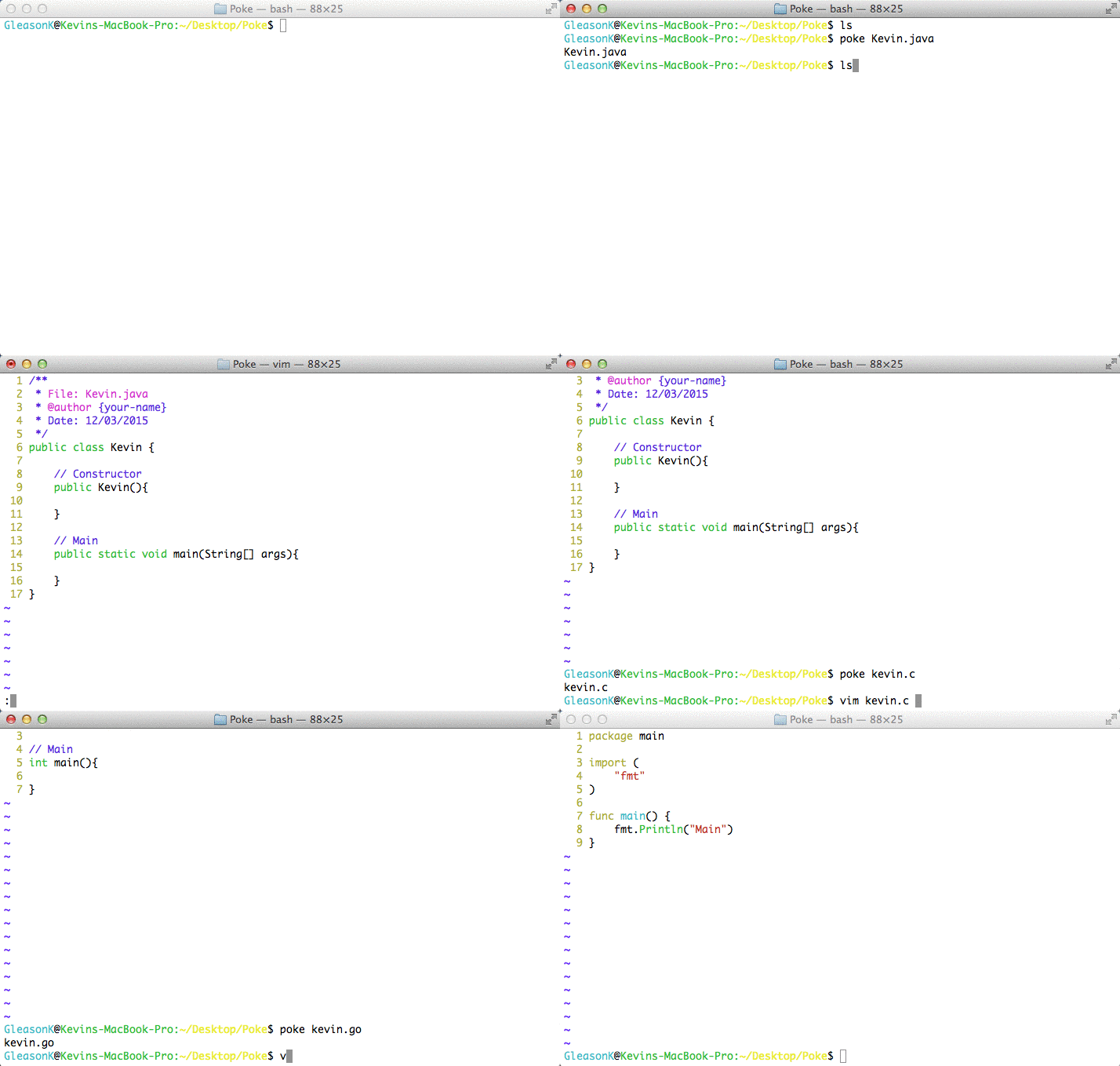
Poke is a bash command, much like touch but with some brains to it. It is used
to create a template for the programming language of your file.
Using poke
If you just want to see poke in action, clone the repository and call the poke command:
git clone https://github.com/GleasonK/poke.git
cd poke/
./poke Test.java
Now, to use poke all you have to do is add the poke folder to your PATH variable.
It is important that poke and tmpl/ remain in the same folder.
Usage
poke [-lang|--flag] filename
The most basic usage is creating a new file, simply include the extension and if there is a template, poke will use it.
poke FileName.ext
Flags can be used to edit templates, or specify which template to use regardless of file extension. Available flags include:
| Flag | Description |
|---|---|
| -h|--help | The full filename with extension |
| --edit [lang] | The filename without extension |
| -j|--java | Creates file with Java template |
| -c | Creates file with C template |
| -cpp|--c++ | Creates file with C++ template |
| -cs|--c# | Creates file with C# template |
| -f|--f# | Creates file with F# template |
| -g|--go | Creates file with Go template |
Currently the following languages have templates:
- Java
- C
- C++
- C#
- F#
- Go
Some of these languages I do not use often, so templates are based off internet searches, feel free to enhance them and submit a pull request!
Contributing
Please do contribute to this repository, I only use so many languages so the templates I provide are probably not the best. However, creating or modifying templates is easy!
The poke script checks the file extension (Ex: Kevin.java) and looks for a
matching file poke.java in the /tmpl folder. When making templates, you
have access to a few variables:
| Variable | Description |
|---|---|
| $FILE | The full filename with extension |
| $FNAME | The filename without extension |
| $DATE | Date that the file was created |
See poke.java for a good example of template creation.
Let me know if you have any suggestions for the future of this script!